Fabric API
The support library many Minecraft Fabric mods depend on. Learn what it does, how to install it with Fabric Loader, and which version matches your setup.
- Loader Fabric
- Platform Java Edition
- Size 2.41 MB
Minecraft has one of the largest modding communities in gaming. Players around the world use modifications to add new features, improve gameplay, customize their experience, and explore new ways of playing the game.
However, many Minecraft mods do not work independently. They require additional libraries and support systems that allow them to communicate properly with the game.
This is where Fabric API becomes important.
Fabric API is one of the most widely used support libraries in the Minecraft Fabric modding ecosystem. Many Fabric-based mods depend on it because it provides essential tools and shared functionality required for proper operation.
For players who want to install Fabric mods, understanding Fabric API is an important step before building a modded Minecraft setup.
This guide explains:
- What Fabric API is
- How Fabric API works
- Why Minecraft mods need it
- Difference between Fabric API and Fabric Loader
- Important features
- Installation basics
- Compatibility information
- Usage with mods
- Common problems
- Beginner guidance
Mod Information
- Mod Name
- Fabric API
- Category
- Minecraft Library Mod
- Developer
- FabricMC
- Latest Version
- v0.156.0+26.2
- Size
- 2.41 MB
- File Type
- Minecraft Mod (.jar)
- Loader
- Fabric
- Supported Minecraft Versions
- 1.14.x to Latest
- Platform
- Minecraft Java Edition
- Supported Environment
- Client, Server
- License
- Apache License 2.0
- Dependencies
- Fabric Loader
- Official Source
- Modrinth, CurseForge
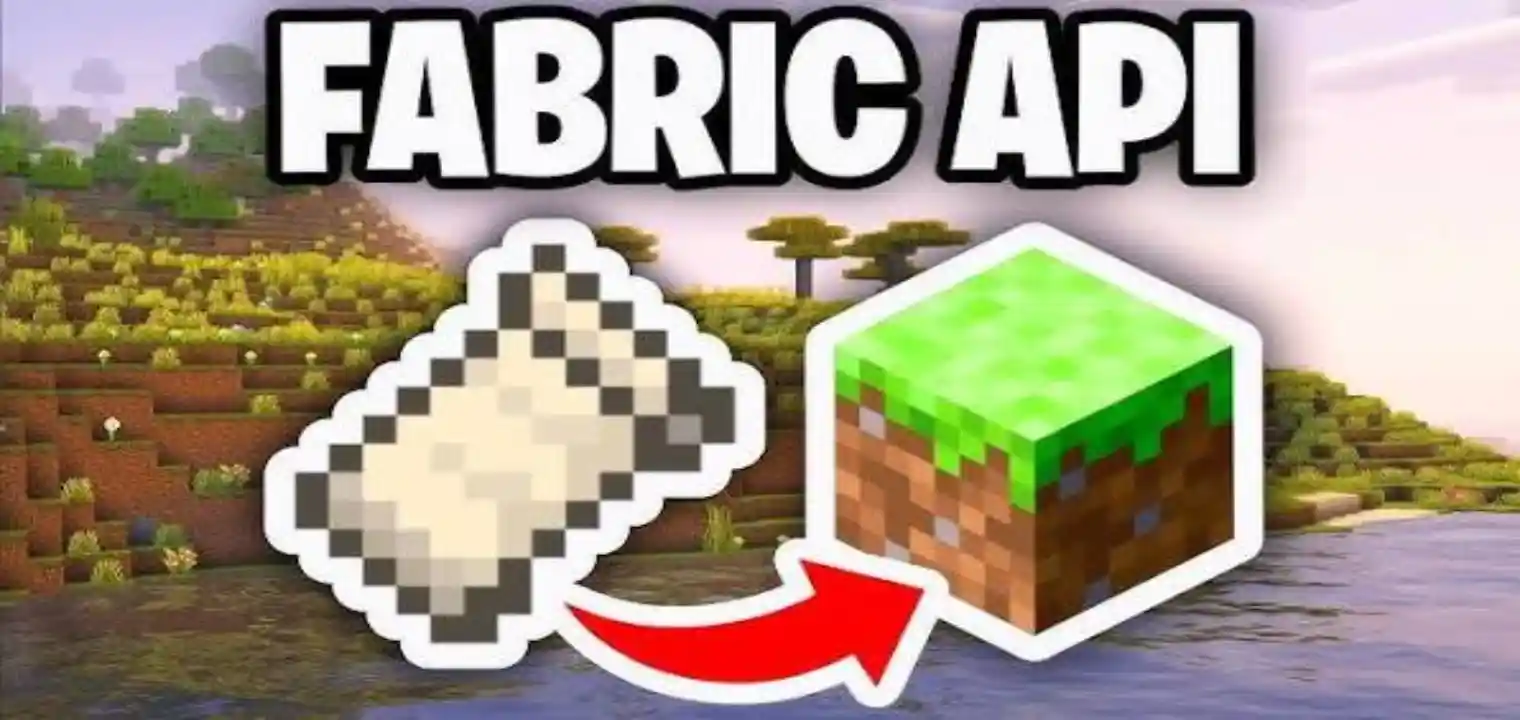
Screenshots
What Is Fabric API?
Fabric API is a collection of libraries and development tools created for Minecraft's Fabric modding platform.
In simple terms, Fabric API provides common features that many Minecraft mods need in order to function correctly.
Instead of every mod developer creating the same systems repeatedly, Fabric API provides shared functionality that different mods can use.
This makes mod development easier and allows players to run multiple Fabric mods together with better compatibility.
Fabric API works alongside:
- Minecraft Java Edition
- Fabric Loader
- Fabric mods
A typical Fabric mod setup includes:
- Minecraft Java Edition
- Fabric Loader
- Fabric API
- Individual Fabric mods
Each part has a different purpose, but they work together to create a complete modded Minecraft experience.
Why Is Fabric API Important For Minecraft Mods?
Minecraft mods often need access to different parts of the game.
For example, a mod may need to:
- Add new items
- Create new blocks
- Modify gameplay mechanics
- Add commands
- Change rendering behavior
- Improve performance
Without a shared support system, every developer would need to build these features separately.
Fabric API solves this problem by providing reusable tools and libraries.
This allows mod developers to focus on creating their actual mod features instead of rebuilding common systems.
For players, this means many Fabric mods can depend on one common library instead of requiring separate solutions for similar functions.
How Does Fabric API Work?
Fabric API works as a bridge between Minecraft, Fabric Loader, and individual mods.
When Minecraft starts, Fabric Loader loads the required mods. If a mod requires Fabric API, the loader checks whether the correct API version is available.
If everything matches correctly:
- Minecraft launches
- Fabric API provides required functions
- Mods can access supported features
- The player can use the customized setup
If Fabric API is missing or the wrong version is installed, users may see errors or the game may fail to launch.
Fabric API And Fabric Loader Difference
Many new users confuse Fabric API with Fabric Loader because both are required for many Fabric mod setups.
Although they work together, they have different roles.
What Is Fabric Loader?
Fabric Loader is the system responsible for loading Fabric mods into Minecraft.
Its main job is:
- Detect installed mods
- Start the Fabric mod environment
- Allow mods to run with Minecraft
Without Fabric Loader, Fabric mods cannot load.
What Is Fabric API?
Fabric API provides additional libraries and features that mods use.
Its role includes:
- Supporting mod functionality
- Providing shared tools
- Improving compatibility between mods
Simple Difference
Fabric Loader = Loads the mods
Fabric API = Provides features that many mods need
Both are important, but they perform different tasks.
How To Install Fabric API Step By Step
Installing Fabric API is an important step for players who want to use Fabric-based Minecraft mods.
Fabric API does not work as a standalone application. It works inside the Minecraft modding environment with Fabric Loader and compatible mods.
Before starting the installation, make sure you have:
- Minecraft Java Edition installed
- Fabric Loader installed
- The correct Fabric API version
- A compatible Minecraft version
Using matching versions is important because incorrect combinations can create launch problems.
Install Fabric Loader
The first step is setting up Fabric Loader.
Fabric Loader creates the environment that allows Minecraft to load Fabric-based modifications.
During installation, select:
- Your Minecraft version
- Installation location
- Required profile settings
After completing installation, a Fabric profile will appear in your Minecraft launcher.
Download The Correct Fabric API Version
After Fabric Loader is installed, download Fabric API.
Before downloading, check:
- Minecraft version
- Fabric Loader compatibility
- Requirements of your selected mods
For example, a Fabric API file made for one Minecraft version may not work correctly with another version.
Always choose the version that matches your Minecraft setup.
Open The Minecraft Mods Folder
After downloading Fabric API, locate your Minecraft directory.
Inside the Minecraft folder, find the mods folder.
If the folder does not exist, create a new folder named mods.
This folder is where Fabric mods and Fabric API files are placed.
Add Fabric API To The Mods Folder
Move the downloaded Fabric API file into the mods folder.
Do not extract the file unless the installation instructions specifically require it.
The file should remain in its original mod format.
After adding Fabric API, the folder may contain:
- Fabric API file
- Other installed Fabric mods
Launch Minecraft With Fabric Profile
Open your Minecraft launcher.
Select the Fabric profile created during Fabric Loader installation.
Start Minecraft and allow it to load the mod environment.
If everything is installed correctly:
- Minecraft will start normally
- Fabric API will load automatically
- Compatible mods can use its features
Add Fabric Mods
After Fabric API is working, users can install compatible Fabric mods.
Before adding mods, check:
- Minecraft version
- Fabric compatibility
- Required dependencies
Add mods one at a time when creating a new setup.
This makes it easier to identify problems if something does not work correctly.
How To Use Fabric API With Minecraft Mods
Fabric API usually works in the background.
Players normally do not open Fabric API directly or change its settings.
Its main purpose is to provide support that allows compatible Fabric mods to function.
A normal usage process looks like this:
- Install Fabric Loader
- Add Fabric API
- Install compatible Fabric mods
- Launch Minecraft
- Play with the modified setup
Managing Fabric API With Multiple Mods
Many players use several Fabric mods together.
When managing multiple mods:
- Check dependencies
- Keep versions compatible
- Add mods gradually
- Test the setup regularly
A well-managed mod folder reduces errors and makes troubleshooting easier.
Updating Fabric API
When updating Fabric API, do not replace files randomly.
Before updating:
- Check the new version compatibility
- Confirm installed mods support it
- Keep a backup of your current setup
After updating:
- Launch Minecraft
- Check that mods load correctly
- Test the gameplay experience
Removing Fabric API
If you remove Fabric API, remember that many mods depend on it.
Removing it may cause dependent mods to stop working.
Before removing:
- Check installed mods
- Review dependencies
- Keep a backup if needed
Basic Fabric API Setup Checklist
Before using Fabric API, confirm:
- Fabric Loader installed
- Correct Fabric API version downloaded
- File placed in the mods folder
- Minecraft launched with Fabric profile
- Compatible mods installed
Why Do Many Fabric Mods Require Fabric API?
Many Fabric mods depend on Fabric API because they use its existing systems.
Common reasons include:
Shared Development Features
Fabric API provides tools that help mods interact with Minecraft more easily.
Better Compatibility
Using shared libraries reduces unnecessary conflicts between different mods.
Faster Mod Development
Developers can create mods more efficiently because common features are already available.
Easier Mod Management
Players can install multiple mods that use the same API support.
Fabric API Main Features
Fabric API includes many different systems that support Minecraft mod functionality.
Some important areas include:
Block And Item Support
Many mods add:
- New blocks
- New items
- Custom gameplay objects
Fabric API provides support that helps these additions work correctly within Minecraft.
Event System Support
Minecraft mods often need to react to certain actions.
Examples:
- Player actions
- World events
- Game changes
Fabric API provides systems that allow mods to interact with these events.
Rendering Support
Some mods modify visual elements.
Fabric API helps provide support for:
- Custom visuals
- Graphics-related changes
- Client-side features
Networking Support
Multiplayer mods often require communication between client and server.
Fabric API provides systems that help mods handle network-related functions.
Command Support
Some mods add custom commands or modify existing command behavior.
Fabric API provides support that helps these features work correctly.
Fabric API For Minecraft Players
For regular players, Fabric API is mainly important because it allows many mods to function.
Most users do not interact with Fabric API directly.
Instead, they install it as a required dependency when installing Fabric mods.
A normal player workflow looks like:
- Install Minecraft Java Edition
- Install Fabric Loader
- Install Fabric API
- Add desired Fabric mods
- Launch Minecraft
Once installed correctly, Fabric API works in the background.
Benefits Of Using Fabric API
Fabric API provides several advantages for Minecraft mod users.
Access To More Mods
Many popular Fabric mods require Fabric API.
Installing it allows users to explore a larger range of available modifications.
Better Mod Compatibility
Shared systems help multiple mods work together more effectively.
Easier Mod Setup
Once Fabric API is installed, users can add compatible mods without repeatedly installing separate support libraries.
Improved Modding Experience
Fabric API creates a more organized environment for both players and developers.
Who Uses Fabric API?
Fabric API is used by different types of Minecraft users.
Casual Minecraft Players
Players use Fabric API when installing mods that require it.
Mod Enthusiasts
Players who enjoy customized gameplay often use multiple Fabric mods together.
Mod Developers
Developers use Fabric API to create Minecraft modifications more efficiently.
Server Owners
Some Minecraft servers use Fabric-based setups with mods that depend on Fabric API.
Fabric API And Minecraft Java Edition
Fabric API is designed for Minecraft Java Edition.
Java Edition has a large modding community because it allows extensive customization compared with other Minecraft editions.
Players using Java Edition can create customized experiences through:
- Fabric mods
- Mod loaders
- APIs
- Community-created content
Fabric API plays an important role in this ecosystem by supporting many modifications.
Fabric API Compatibility Guide
Compatibility is one of the most important parts of using Fabric API.
Minecraft mods are usually designed for specific versions, meaning users need matching versions between:
- Minecraft
- Fabric Loader
- Fabric API
- Installed mods
Minecraft Version Compatibility
Fabric API releases are connected to specific Minecraft versions.
For example, a Fabric API version designed for one Minecraft release may not work correctly with another.
Always check the required version before installation.
Mod Compatibility
Different mods may have different requirements.
Some mods require:
- Specific Fabric API versions
- Additional dependencies
- Certain Minecraft versions
Before installing multiple mods, review their requirements.
Fabric API With Multiple Mods
One of the main advantages of Fabric API is that it allows players to use many Fabric mods together.
However, a good mod setup requires planning.
Check Mod Requirements
Before adding a new mod, check:
- Required dependencies
- Supported versions
- Possible conflicts
This reduces problems during startup.
Keep Versions Consistent
A common mistake is mixing different versions.
For example:
- Minecraft version A
- Fabric API version B
- Mod version C
This combination may create compatibility problems.
A stable setup uses matching versions.
Add Mods Gradually
When creating a large mod collection:
- Install a few mods
- Test Minecraft
- Add more mods gradually
This makes it easier to identify problems.
Fabric API For Mod Developers
Fabric API is not only useful for players. It is also an important tool for Minecraft mod developers.
Developers use Fabric API because it provides:
- Common development tools
- Shared systems
- Easier access to Minecraft features
Faster Mod Development
Without an API, developers would need to create many systems themselves.
Fabric API reduces repeated work by providing existing solutions.
This allows developers to focus more on:
- Gameplay ideas
- New features
- Unique mechanics
Creating Better Mod Compatibility
When developers use common Fabric API systems, their mods can work better with other Fabric-based projects.
This helps create a stronger modding environment.
Fabric API Multiplayer Usage
Fabric API can also be part of multiplayer Minecraft setups.
Players using multiplayer mods need to ensure that:
- Required mods are installed
- Versions match
- Server and client configurations are compatible
Client And Server Requirements
Some mods only affect the player's game, while others require server installation.
Before joining a modded server, check:
- Required mods
- Fabric API requirements
- Version compatibility
Fabric API Server Support
Server owners using Fabric mods often install Fabric API when required by their selected mods.
A properly configured server helps players connect without compatibility problems.
Common Fabric API Problems
Although Fabric API is designed to make modding easier, users may still experience issues.
Fabric API Missing Error
A common error occurs when a mod requires Fabric API but it is not installed.
Solution:
- Download the correct Fabric API version
- Add it to the mods folder
- Restart Minecraft
Fabric API Version Mismatch
This happens when Fabric API does not match the Minecraft or mod version.
Solution: check:
- Minecraft version
- Fabric Loader version
- Required API version
Install compatible versions.
Minecraft Crashes After Installing Fabric API
Possible causes include:
- Incorrect versions
- Conflicting mods
- Missing dependencies
Solutions:
- Remove recently added mods
- Check requirements
- Update compatible files
Fabric API Not Loading
Possible reasons:
- Wrong folder location
- Incorrect Minecraft profile
- Damaged file
Solutions:
- Confirm the file is inside the mods folder
- Check Fabric installation
- Download the file again if needed
Tips For A Better Fabric API Experience
Follow these practices for a smoother setup:
Keep Backup Copies
Before making major changes, save your current mod setup.
This makes recovery easier.
Update Carefully
Do not update every component randomly.
Check compatibility first.
Use Reliable Sources
Download Fabric API and mods from trusted platforms.
This reduces the chance of using incorrect files.
Maintain An Organized Mods Folder
A clean folder makes it easier to:
- Identify problems
- Manage versions
- Remove unwanted mods
Fabric API Beginner Learning Path
New users should follow a simple progression:
- Understand Fabric Loader and Fabric API roles.
- Install Fabric correctly.
- Add Fabric API.
- Install compatible mods.
- Learn troubleshooting.
This approach prevents many beginner mistakes.
Fabric API Architecture And Internal Structure
Fabric API works through different systems and libraries that provide support for Minecraft mods.
Instead of being a single feature, Fabric API is made up of multiple components that handle different types of mod functionality.
These systems allow mods to interact with Minecraft in a more organized way.
Some important areas supported through Fabric API include:
- Game events
- Registry systems
- Networking features
- Rendering support
- Lifecycle management
Each part helps mods access specific Minecraft features without developers needing to create everything from the beginning.
Fabric API Dependencies Explained
Dependencies are an important part of Minecraft modding.
A dependency is a required file or library that another mod needs in order to work correctly.
Many Fabric mods list Fabric API as a dependency because they use the systems provided by it.
For example, a mod may add new gameplay features, but it may need Fabric API for:
- Registering new items
- Managing events
- Connecting with Minecraft systems
- Handling specific mod functions
If a required dependency is missing, Minecraft may show an error during startup.
Why Fabric Mods Use Fabric API Dependencies
Fabric API helps create a common foundation for many mods.
Without a shared API, every mod would need to create its own solutions for similar tasks.
Using Fabric API allows developers to:
- Reduce repeated work
- Maintain cleaner code
- Improve compatibility
- Build mods more efficiently
For players, this means many mods can use the same support library instead of requiring separate systems.
Fabric API Modules And Supported Systems
Fabric API contains different modules that support various areas of Minecraft modification.
These modules provide different types of functionality.
Event System Support
Events allow mods to respond to actions happening inside Minecraft.
Examples include:
- Player actions
- World changes
- Game lifecycle events
This allows mods to add features without directly replacing large parts of the game.
Registry System Support
Minecraft uses registries to manage different game elements.
Fabric API provides support that helps mods add:
- Items
- Blocks
- Objects
- Custom elements
This makes adding new content easier for developers.
Networking Support
Networking is important for multiplayer-related modifications.
Fabric API provides systems that help mods communicate between:
- Client
- Server
This allows multiplayer mods to work more effectively when properly configured.
Rendering Support
Some mods change how Minecraft looks or displays information.
Fabric API provides support for modifications involving:
- Visual changes
- Custom rendering
- Client-side improvements
Fabric API In Modern Minecraft Modding
Fabric API has become an important part of the modern Fabric modding environment.
Many developers choose Fabric because it provides a lightweight approach compared with some other modding platforms.
Fabric API supports this approach by providing the common systems needed for building and running mods.
For players, this means access to a large collection of Fabric-based modifications.
Fabric API Client-Side And Server-Side Usage
Fabric API usage can depend on the type of mod being installed.
Some mods work only on the player's side, while others require server installation.
Client-Side Fabric API Usage
Client-side mods usually affect the player's own Minecraft experience.
Examples include:
- Visual improvements
- Interface changes
- Performance-related features
These mods may only require installation on the player's Minecraft setup.
Server-Side Fabric API Usage
Some mods change gameplay or add features that affect all players.
These may require installation on the server as well.
Examples include:
- Gameplay changes
- Server features
- Multiplayer systems
Players joining a modded server should always check required mods and versions.
Fabric API With Modpacks
Fabric API is commonly used in Minecraft modpacks.
A modpack combines multiple mods into one customized experience.
When creating a Fabric modpack, users should manage:
- Mod versions
- Dependencies
- Compatibility
- Required libraries
Managing Fabric API In Large Modpacks
Large modpacks may contain many different dependencies.
Good practices include:
- Keeping versions consistent
- Adding mods gradually
- Checking requirements before installation
This makes it easier to identify problems if something goes wrong.
Fabric API Performance Considerations
Fabric API itself is designed as a support library, but the overall performance of a modded setup depends on many factors.
Performance can be affected by:
- Number of installed mods
- Mod complexity
- Device capability
- Configuration choices
A properly managed setup usually provides a better experience.
Fabric API And Mod Conflicts
Sometimes multiple mods may create conflicts.
Possible causes include:
- Incompatible versions
- Conflicting features
- Missing dependencies
To reduce problems:
- Use compatible versions
- Check mod requirements
- Add mods carefully
Choosing The Correct Fabric API Version
Using the correct version is one of the most important parts of a stable setup.
Before downloading Fabric API, check:
- Minecraft version
- Fabric Loader version
- Required mod versions
Installing an incorrect version may cause Minecraft to fail during startup.
Updating Fabric API Correctly
When updating Fabric API:
- Check the new version requirements
- Backup your current setup
- Update related mods if needed
- Test Minecraft after updating
Avoid updating individual components without checking compatibility.
Fabric API Common Setup Mistakes
Many problems happen because of simple setup mistakes.
Installing The Wrong Version
Using a Fabric API version made for another Minecraft release can cause errors.
Always match versions correctly.
Forgetting Fabric Loader
Fabric API requires the Fabric environment to work properly.
Installing only Fabric API without Fabric Loader will not create a working setup.
Adding Files To The Wrong Folder
Fabric API must be placed in the correct Minecraft mods directory.
Incorrect placement can prevent it from loading.
Installing Incompatible Mods
Not every Fabric mod works with every version.
Always check:
- Mod requirements
- Minecraft version
- API requirements
Fabric API Setup Best Practices
For a stable Fabric API experience:
- Keep files organized
- Use matching versions
- Maintain backups
- Add mods gradually
- Check dependencies before installation
These practices help reduce errors and make troubleshooting easier.
Frequently Asked Questions
Does Fabric API Improve Minecraft Graphics?
No. Fabric API mainly provides support systems for mods.
Do I Need Fabric API For Every Fabric Mod?
No, but many Fabric mods require it.
Can Fabric API Be Used With Forge Mods?
No. Fabric API is designed for the Fabric modding platform.
Is Fabric API Safe To Use?
Yes, Fabric API is widely used in the Minecraft modding community when downloaded from reliable sources.
Can I Remove Fabric API?
You can remove it, but any mods depending on it may stop working.
Conclusion
Fabric API is one of the most important components in the Fabric Minecraft modding environment.
It provides essential support for many mods, helps developers create better modifications, and allows players to build customized Minecraft experiences.
Understanding installation, compatibility, dependencies, and troubleshooting makes it easier for users to create a stable Fabric mod setup.
For anyone exploring Minecraft Java Edition modding, Fabric API is a key foundation that makes many modern Fabric mods possible.